I got better at Asynchronous programming in Python
· 3 min read
Python, Asynchronous Programming
Consider this code:
# sync code
import time


def fake_fetch(task_id, delay):
    print(f'fetching data: {task_id}')
    time.sleep(delay)            # fake request
    print(f'finished fetching data: {task_id}')


def main():
    n = 3

    start = time.perf_counter()
    for i in range(1, n+1):
        fake_fetch(i, i)          # waits and blocks further execution
    end = time.perf_counter()

    duration = end - start
    print(f'total time taken: {duration:.2f}')


if __name__ == '__main__':
    main()
# output
fetching data: 1
finished fetching data: 1
fetching data: 2
finished fetching data: 2
fetching data: 3
finished fetching data: 3
total time taken: 6.02 seconds
The above is an example of executing synchronous code. The code blocks the further execution while it sleeps(i.e. waiting for something) each time.
A better code design would utilize this idle waiting time to do something useful.
Time for async treatment — Now consider the upgraded code to do something useful when a part of the code is waiting.
# turning into async code.
import asyncio
import time


async def fake_fetch(task_id, delay):
    print(f'fetching data: {task_id}')
    await asyncio.sleep(delay)            # fake request
    print(f'finished fetching data: {task_id}')


async def main():
    n = 3

    start = time.perf_counter()
    coros = [fake_fetch(i, i) for i in range(1, n+1)]       # creating coroutine objects
    await asyncio.gather(*coros)
    end = time.perf_counter()

    duration = end - start
    print(f'total time taken: {duration:.2f}')


if __name__ == '__main__':
    asyncio.run(main())
# output — async code
fetching data: 1
fetching data: 2
fetching data: 3
finished fetching data: 1
finished fetching data: 2
finished fetching data: 3
total time taken: 3.00 seconds
Now we see the total execution time is reduced to the maximum of the three tasks.
There are few things to learn over here:
- In Asynchronous programming the executing code willingly gives back the control (when possibly waiting for some I/O task) to let some other part of the code run instead of just blocking.
- That part is marked by
await. But to let the function become aware of this fact we mark it asasync. This marking transforms the function to a coroutine object. - Now when you call this
asyncmarked function, it returns a coroutine object instead of running it directly. - Coroutine objects are scheduled separately on an event loop which maintains their lifecycle when awaited. The event loop schedules another task if available in queue to run then.
- Thus marking functions as just
asyncdoesn't make them run concurrently. We need to group several awaitable functions together and schedule them together such that when one function is waiting, the event loop can pause it and let some other function in the group run. - We achieve this in the above code by making list of coroutine objects
corosand then running them by awaiting (this is one of the ways to schedule coroutines on the event loop - by usingawait).
There are other ways of doing async programming as well. Like using TaskGroup, .create_task(), etc. Apart from this we can also use .as_completed() instead of .gather() to get results as they get completed instead of waiting for all to complete in the passed sequence of coroutine objects. A quick google search gave me this suggestion.
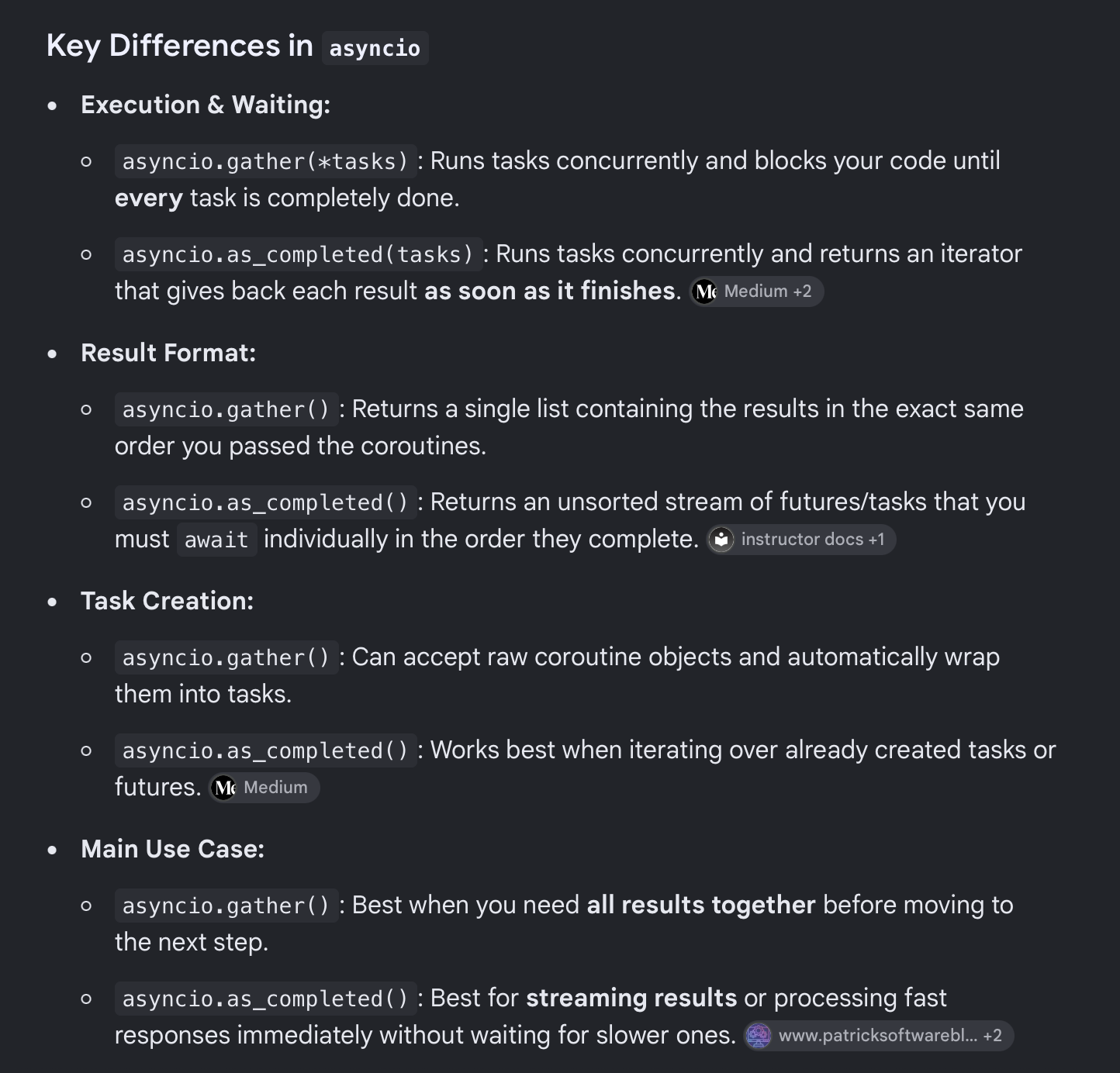
Apart from this, I learned we can make use of a profiler to figure out where our code is taking the most time and what type of task it could be — I/O bound or CPU bound. If the task is I/O bound then we can use Asynchronous programming and speed up our execution. One such good profiler is Scalene.
# to run scalene on your script do:
pip install scalene
scalene your_script.py
Yet to better understand
- What does
asyncio.rundo? I somewhat know the answer — that it tells the OS to run the main function on the event loop. But I require more clarity on this. - Understand in detail what
.gather()and.as_completed()has to offer.